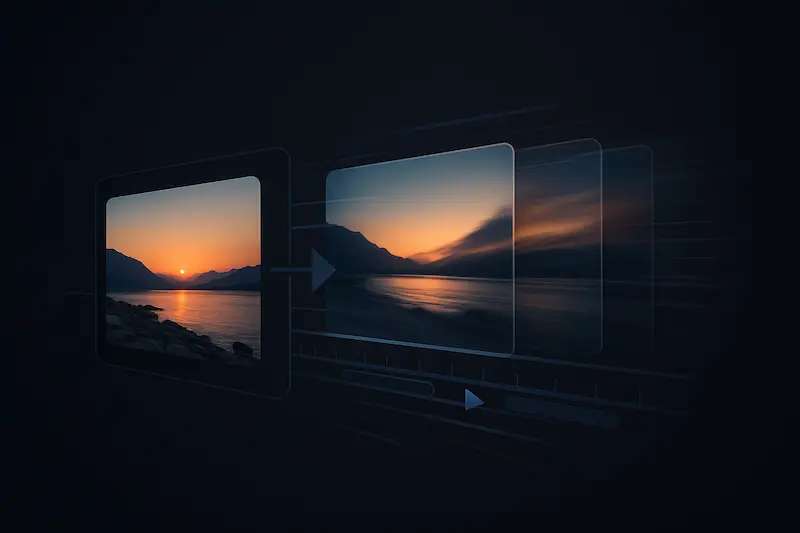
Creators are using AI not just to draft ideas but to generate motion and performance straight from stills. The best results tend to come from platforms that blend fast templates with fine-grained control for camera moves, timing, and faces. If you want a production-ready starting point, Magic Hour’s Image to video AI is a straightforward on-ramp with a free tier to test quality before you pay.
Artificially perfect demos don’t tell the full story, so we focused on quality, speed, control, and total cost in everyday workflows. That means checking how stable faces look in motion, whether first renders are usable without heavy tweaking, how quickly exports finish, and how clearly each plan spells out limits (resolutions, watermarks, and credits).
How we evaluated (and why this matters)
- Quality: realism of motion, face stability, and subject consistency across takes.
- Speed: render times and queue reliability during peak hours.
- Control: practical knobs (pans, zooms, reframes, lip-sync) without cumbersome prompts.
- Cost & limits: clarity on watermarks, credit systems, max resolution, and upgrade paths.

These criteria reflect how editors, marketers, and solo creators actually work: make a few quick variants, pick a direction, then invest credits in the final pass.
The market landscape and 2025 trends
The image-to-video and talking-photo category is consolidating around a few clear directions:
- Multimodal pipelines. Leading tools now bundle image-to-video, talking portraits, and lip-sync in one place so creators don’t juggle apps. This favors platforms that ship both presets (fast first render) and fine controls (camera moves, timing, face stabilization).
- Editor integration over novelty. Instead of “wow” demos, the market rewards export reliability, timeline-friendly formats, and clear license language for commercial use.
- Speed and predictability. Queue times and credit math are becoming purchase drivers, especially for social teams that iterate in short bursts.
- Rise of avatar use cases. Talking-photo and avatar features are expanding beyond explainers into localized intros, product walkthroughs, and customer support snippets.
- Mobile-first previews. Many teams design for vertical 1080×1920 first, then widen for web embeds.
- Open-source for R&D. Labs and technical users still experiment with open models for fine control and cost management, but mainstream adoption favors hosted tools.
- Guardrails and watermarking. More buyers ask for brand-safe outputs, audit trails, and optional watermarking toggles to align with platform policies.
What this means for buyers: pick a tool that covers your daily baseline (stills to motion, talking portraits, lip-sync) with transparent pricing. When long-form storytelling or deep editor workflows matter, add a second tool that integrates tightly with your NLE.
The best image-to-video and talking-photo AI tools of 2025 (ranked)
1) Magic Hour — balanced quality, speed, and transparent pricing
Magic Hour takes a template-first approach to image-to-video: upload a still, apply motion presets (subtle pans, zooms, reframes), and export fast. The same account also covers talking portraits and lip-sync, which helps when your workflow mixes product reels, explainers, and localized voiceovers.
Plans & pricing (2025):
- Free: try core features with limited credits (watermark applies).
- Creator: $15/month on monthly billing or $12/month on annual.
- Pro: $49/month with higher caps and advanced export options.
- Business: for teams that need larger allowances and higher resolutions.
Why it tops the list
- Consistent “first render” quality that’s good enough to publish for social after minor trims.
- All-in-one coverage: move from stills to motion and facial performance without switching apps. For portrait use cases, jump straight into AI Talking photo to animate a face from a single image.
- Predictable upgrade path: clear tiers, clear limits, and easy toggling between monthly and annual.
Best for: social clips, quick explainers, product showcases, lip-synced snippets.
Watch-outs: very complex, choreographed camera moves still favor high-end suites.

2) Runway — stronger continuity and character consistency
Runway’s recent models emphasize coherent subjects and scenes across shots, addressing a common pain point when you need recurring characters or branded looks over multiple clips. It’s a solid pick for short narratives and ad concepting where consistency beats raw novelty.
Best for: multi-shot stories, brand worlds, pre-viz.
3) Adobe Firefly (inside Creative Cloud) — editor-friendly and enterprise-aware
Firefly’s video features benefit from tight integration with Photoshop and Premiere, plus clear licensing language. For teams that already live in Creative Cloud, the handoff from generation to editing feels natural.
Best for: agencies, in-house teams, editor-heavy pipelines.
4) Luma Dream Machine — cinematic motion and stylized realism
Luma leans into filmic looks and fluid camera motion. If you’re crafting mood pieces or scenic B-roll from stills, it’s often the closest to “camera-like” movement out of the box.
Best for: mood reels, scenic interludes, concept boards.
5) Pika — rapid variations for ideation
Pika’s strength is fast iteration: spin multiple motion ideas from a single image, then choose the keeper. Great when you’re exploring beats and timing before committing credits elsewhere.
Best for: quick ideation, social-first teams.
6) Kaiber — music-aware sequences
Kaiber is known for audio-reactive motion, useful when the soundtrack drives the cut. If your workflow starts with a beat or a lyric, its timing tools save passes in the editor.
Best for: music creators, lyric videos, reels synced to audio.
7) Stable Video Diffusion (open-source) — control for tinkerers
If you prefer self-hosted or want to tinker with checkpoints and pipelines, open-source models offer deep control. Expect more setup and variance in output quality, but unmatched flexibility for R&D.
Best for: technical users, experimental pipelines.
8) Avatar-first platforms (e.g., HeyGen) — scale talking-head explainers
These tools excel at presenter videos and multilingual explainers at volume. They’re less about scenic motion and more about getting a clean, to-camera delivery without booking talent.
Best for: training clips, internal comms, landing-page explainers.
Practical tips to improve results quickly
- Match motion to subject. Subtle pans and gentle parallax usually look more natural on stills than aggressive dolly moves.
- Feed clean, well-lit images. For talking portraits, sharp eyes and even lighting improve mouth shapes and blink realism.
- Iterate in short bursts. Generate 3–5 quick variants, pick a direction, then spend higher-res credits on the winner.
- Export to fit your channel. 1080×1920 suits Shorts/Reels; 1920×1080 works for YouTube B-roll or site embeds.
- Budget credits by stage. Rough cut first, polish later—especially on paid tiers.
What this means for creators in 2025 (final takeaway)
For most teams, the quickest path to dependable results is to start with a platform that balances speed, quality, and price. In our testing, Magic Hour delivered a strong “first render” and a clean upgrade path—Free for trials, Creator at $15/month (or $12/month on annual), and Pro at $49/month for higher caps—making it a practical default for image-to-video and talking-photo work. Keep a secondary option on hand (e.g., narrative-focused or editor-integrated) for briefs that need character continuity or enterprise guardrails. That two-tool setup covers the majority of 2025 workflows without locking you in.
Which tool should you start with—and why
If you need a reliable baseline that scales from stills to facial performance, start with Magic Hour. Its mix of image-to-video presets, talking-photo capability, and clear pricing is hard to beat for creators and small teams. When your brief demands longer narratives or deep editor integration, add Runway or Adobe Firefly. For music-driven motion, keep Kaiber in your back pocket; for experimentation, try open-source pipelines.
FAQ: Image-to-video and talking-photo, answered
What’s the difference between image-to-video and talking-photo?
Image-to-video animates a scene from a still (pans, zooms, subtle motion). Talking-photo generates facial performance—mouth shapes, blinks, and head motion—from a single portrait.
Do I need a special kind of source image?
Use sharp, well-lit images with clean edges. For portraits, prioritize clear eyes, even lighting, and a neutral background to reduce artifacts.
Can I use stock photos?
Yes—check the license for model/property releases when faces, logos, or distinctive locations appear. Brand campaigns may need additional clearances.
How do I avoid the “uncanny” look on faces?
Start with natural expressions, keep motion subtle, and avoid extreme crops. Small headroom and front-facing angles improve lip-sync plausibility.
What resolutions should I export for social vs. web?
- Shorts/Reels/TikTok: 1080×1920 (vertical).
- Web embeds/YouTube B-roll: 1920×1080 (horizontal).
Match aspect ratios at the render stage to save credits and time.
How do pricing and credits usually work?
Hosted tools use tiers with credit buckets and watermark rules. In this guide’s #1 pick, Magic Hour’s plans are Free, Creator $15/mo (or $12/mo annual), and Pro $49/mo; higher tiers raise caps and resolution.
What’s a sensible starter workflow?
Generate 3–5 quick variants, choose direction, then spend higher-res credits on the keeper. For portraits, test talking-photo on a cropped, high-quality headshot before producing the final.
Are these tools suitable for commercial work?
Yes—most are used for marketing, product explainers, and editorial. Ensure the output license and usage rights fit your industry and platform policies.
Comentarios